
New Update Notification - v0.9
New Features:
1. Backup Code Update Feature:
-
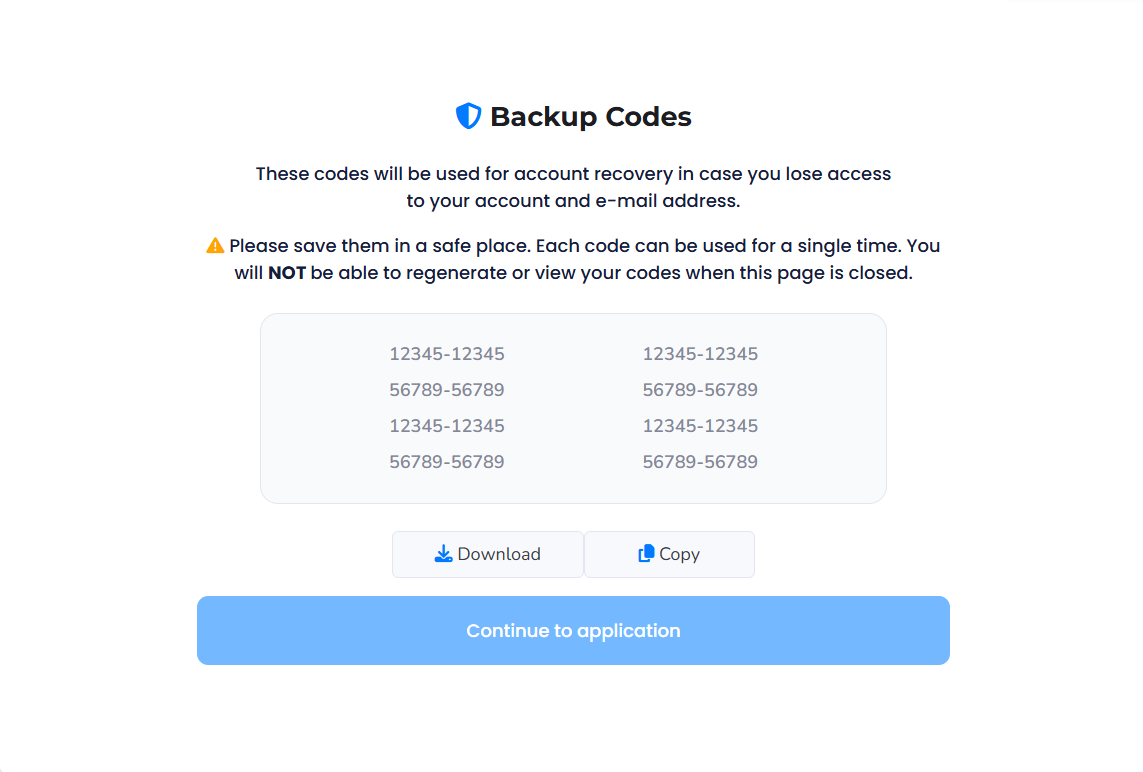
✔ Backup Codes for Recovery
Backup codes can now be used for system login, password reset, and email change operations. These one-time codes ensure uninterrupted access even if you lose access to your primary authentication device. -
✔ New Backup Codes After All Codes Are Used
Once you have used all previously issued backup codes, the system will generate a new set during your next login attempt. You will be prompted to securely download or save these new codes before continuing. -
✔ Important Reminder
Backup codes are shown only once. Make sure to save or download them immediately. Losing your backup codes may limit your recovery options.
What’s New?
2. Item Editing/Inserting
-
What’s New in the Editing Panel?
This update adds several new item-specific configuration options to the editing
panel. Users can now define:
• Color – Assign a custom color to visually distinguish items
in the 3D load plan.
• Stack – Prevent other items from being stacked on top.
• Rotate – Lock the item’s orientation during placement.
• Tilt – Disable tilt adjustments for sensitive items.
• Bottom Only – Keep the item strictly on the container floor.
These new attributes allow for more accurate, controlled, and rule-compliant
load planning directly from the
item editing screen.
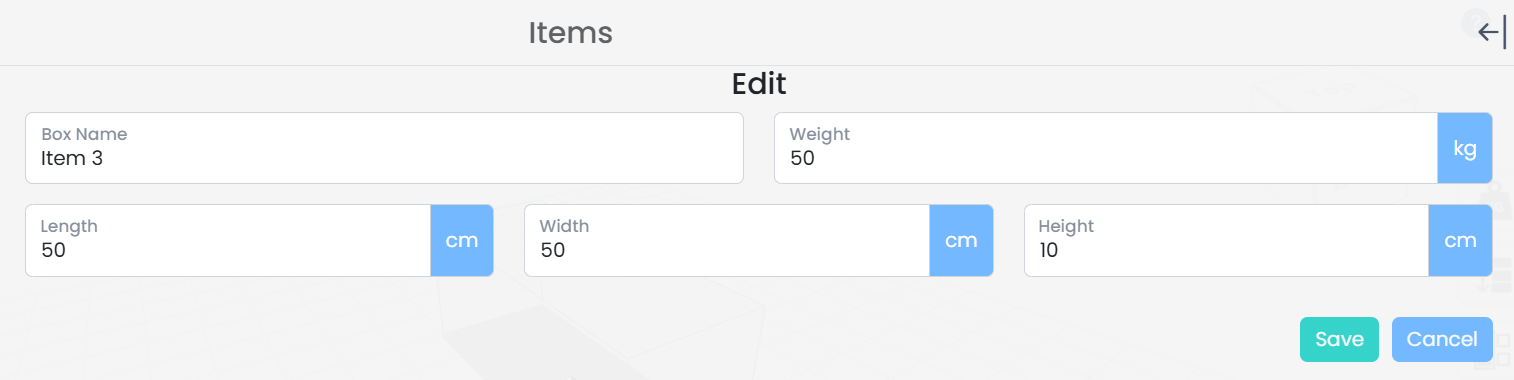
Old
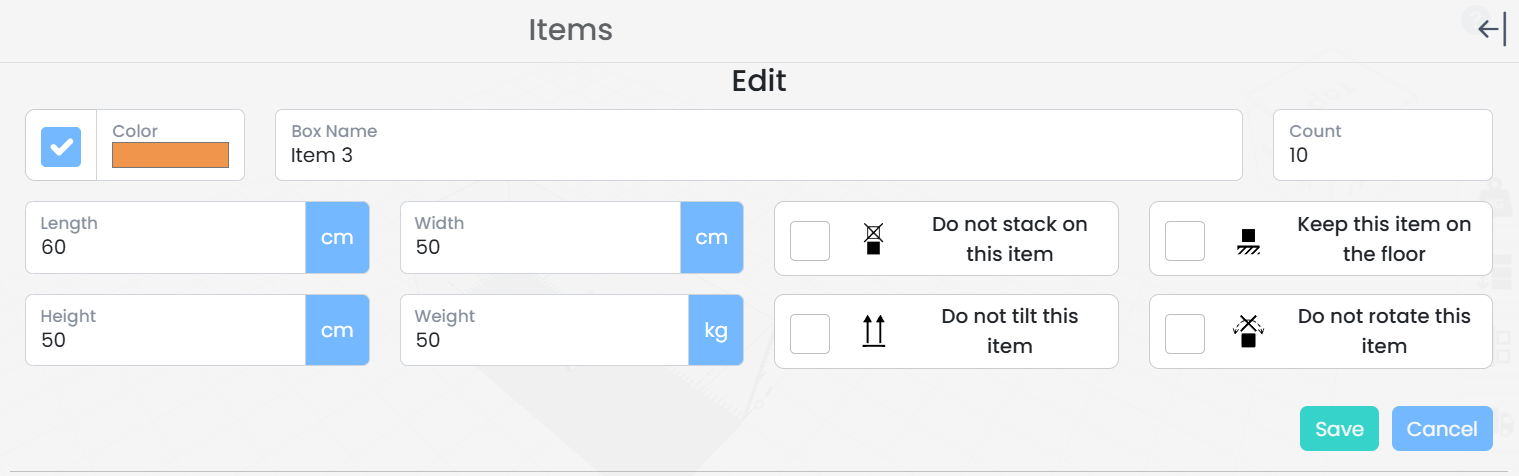
New
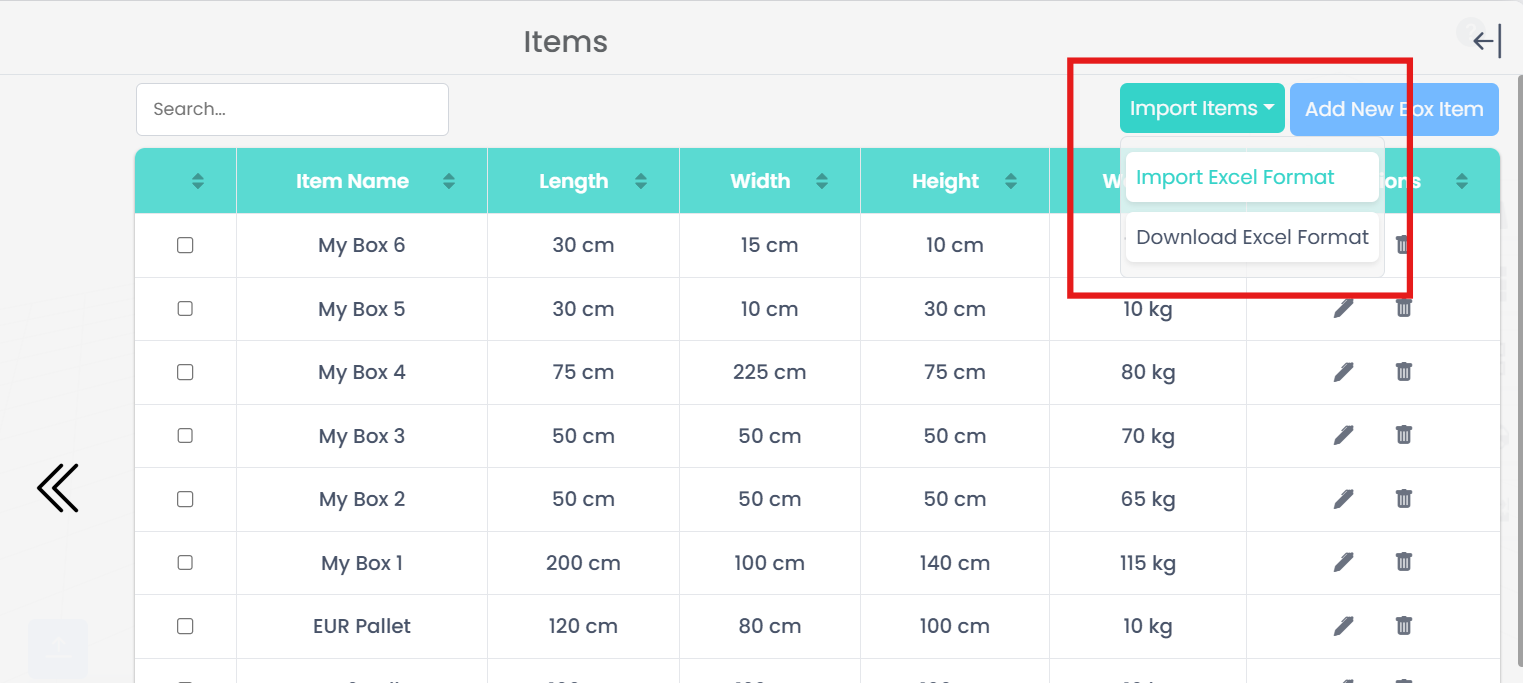
3. Import Item
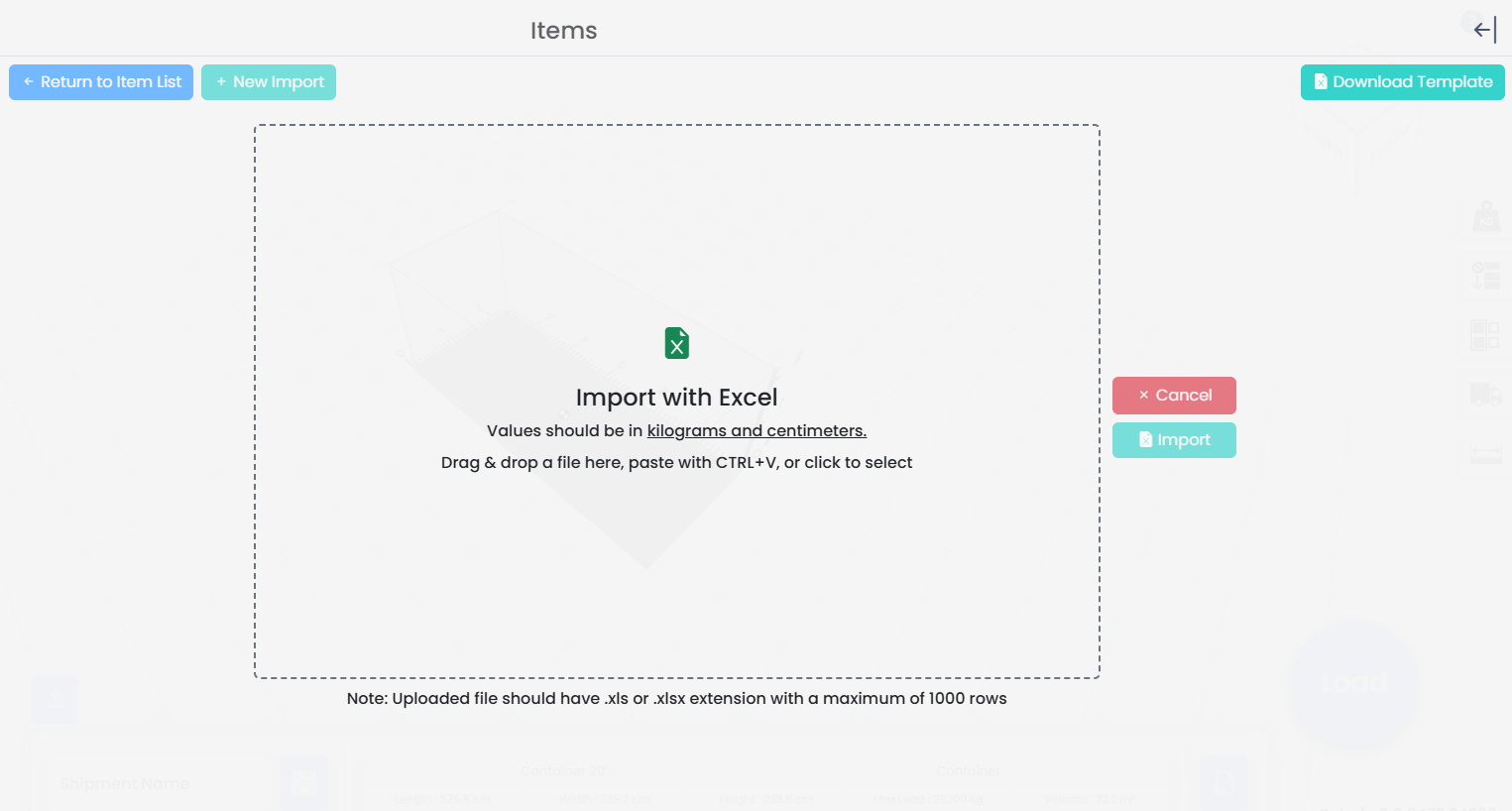
- Large drag-and-drop import zone for faster uploads
- Supports paste-from-clipboard (CTRL+V) for rapid data insertion
- Support for .xls and .xlsx files up to 1000 rows
- New Excel template now includes Color and all constraint fields
The Excel import screen has been upgraded to support a cleaner, more intuitive, and error-resistant workflow. This update also aligns the import process with the newly expanded item attributes such as Color, Stack, Rotate, Tilt, and Bottom Only.
Key Improvements
The enhanced structure minimizes formatting issues, reduces user errors, and accelerates bulk item loading— especially for large shipments or recurring data sets.
Old
New
3. Updated Excel Template
- Color – Assign a custom color to each item for clearer 3D load plan visualization.
- Stack – Prevents other items from being placed on top (X).
- Rotate – Locks item orientation during placement (X).
- Tilt – Disables tilt adjustments (X).
- Bottom Only – Ensures the item remains on the container floor (X).
The redesigned Excel template not only provides a cleaner and more consistent
layout, but also introduces
new columns aligned with the enhanced Item Panel introduced in v0.9. These
additions allow users to define
visual attributes and loading constraints directly within the Excel file prior
to import—streamlining
bulk data preparation and ensuring full compatibility with the solver.
In addition to the required base fields, the new template now supports:
These new fields are fully synchronized with the editing panel and import engine, enabling more accurate, constraint-aware load planning directly from Excel.

Old

New
Other Changes:
-
Performance Improvements ✔
-
Español Language Support ✔
Bug Fixes:
-
Minor bug fixes ✔
-
Remaining Free Meter calculation issue has been resolved. ✔
Help and Support:
Should you encounter any issues or have questions, please don't hesitate to contact us. Our support team is ready to assist you. Reach us through:
Email: info@cargoloader3d.comThank You:
We appreciate your use of cargoLoader. We are committed to providing a seamless experience, and your feedback is invaluable. Please share your thoughts on the update and any suggestions for future improvements.
Best regards,
cargoLoader Family