
New Update Notification - v0.9.5
New Features:
1. Team Management
-
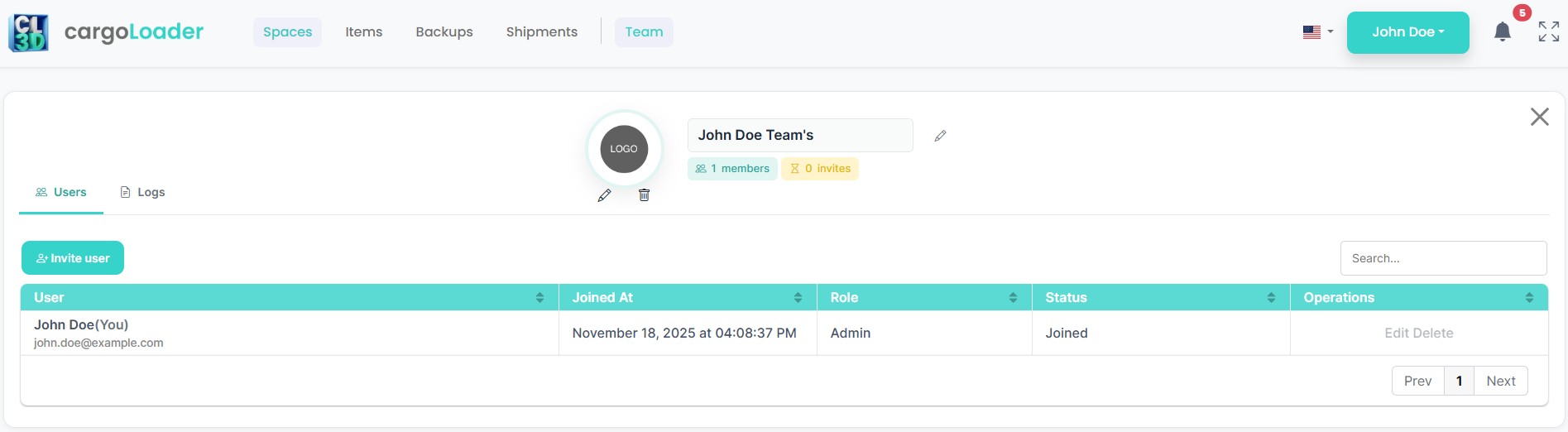
✔ Team Tab in Top Navigation
A new Team tab has been added to the top navigation bar. This dedicated panel gives administrators full control over workspace membership, team identity, and activity logs all in one place. -
✔ Team Profile Panel
The top of the Team page displays a profile panel showing the team logo, team name, number of active members, and number of pending invitations. Administrators can update the team name and logo directly from this panel using the edit icons. -
✔ Admin-Only Access
The Team panel is exclusively accessible to Admin users. Standard members and Editors do not see this tab, ensuring secure and controlled workspace management. -
✔ Team Activity Logs
Administrators can monitor team activity through the built-in logs section, making it easier to track changes and audit workspace actions.
What's New?
2. User Roles
-
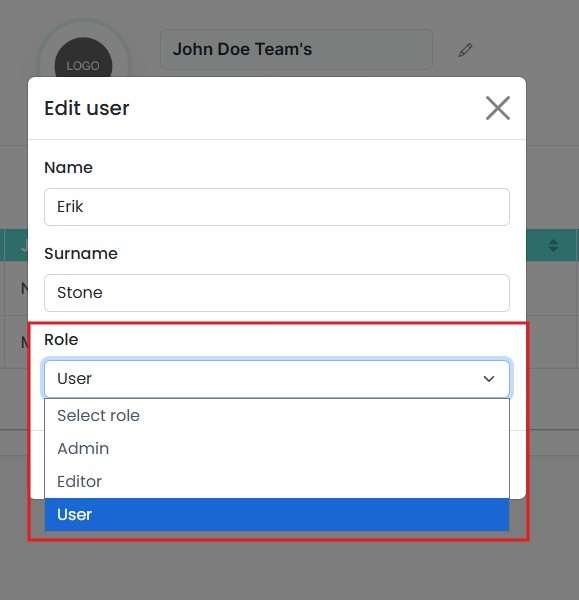
Three Permission Levels
The workspace now supports three distinct user roles, each with a defined set
of permissions:
• Admin – Has full control over the workspace, including
managing users and all resources such as items, spaces, and shipments.
• Editor – Can create, edit, and delete all items, spaces,
and shipments across the workspace.
• User – Can add items and edit their own items only. Cannot
create spaces or manage other workspace resources.
To change a user's role, navigate to the Team panel, locate the user in the
list, and click Edit in the Operations column.
3. Inviting a New User
-
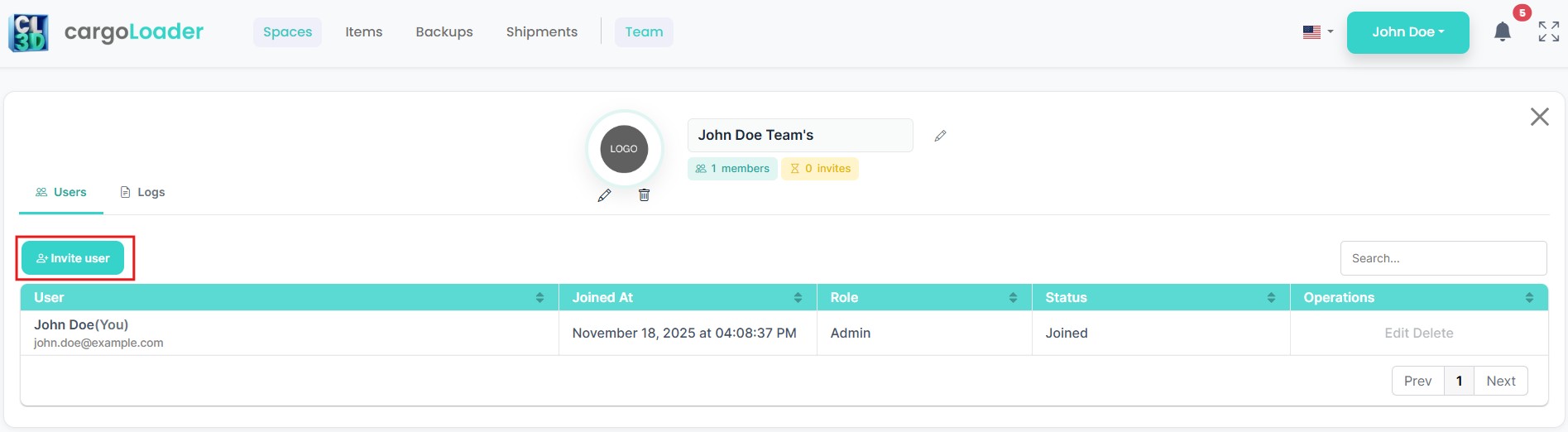
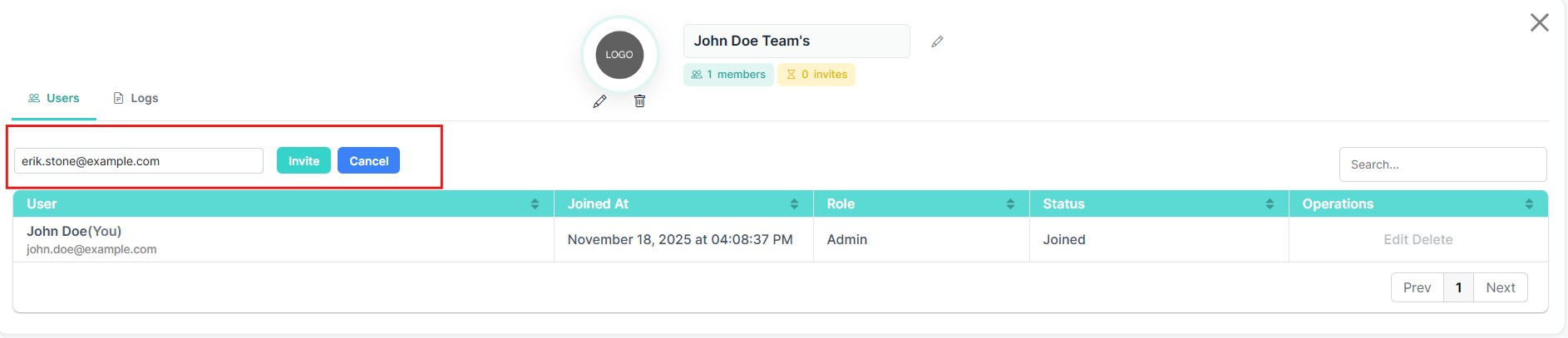
✔ Invite by Email
Administrators can invite new members directly from the Team panel by entering an email address and clicking Invite. The invited user immediately appears in the member list with a Pending status. -
✔ Invitation Email with Accept Button
The invited user receives an email containing team details and an Accept Invite button. Clicking it guides them through registration and directly into the workspace. -
✔ Context-Aware Registration Page
When a user registers via an invite link, the registration page now shows a tailored message acknowledging the invitation — making the onboarding experience clearer and more welcoming. -
✔ Status Tracking
Once a user completes registration, their status automatically changes from Pending to Joined. Administrators can then edit roles or remove members from the same panel.
What's New?
4. Spaces & Items Tables — New Columns and Bulk Actions
-
What's New in the Tables?
Both the Spaces and Items tables have received significant improvements to
support team collaboration and faster data management.
• Created By Column – A new column now shows which team
member created each record, giving administrators full visibility into team
contributions.
• Multi-Select – Users can now select multiple records at
once using checkboxes.
• Bulk Delete – Selected records can be deleted in a single
action, significantly speeding up cleanup of large data sets.
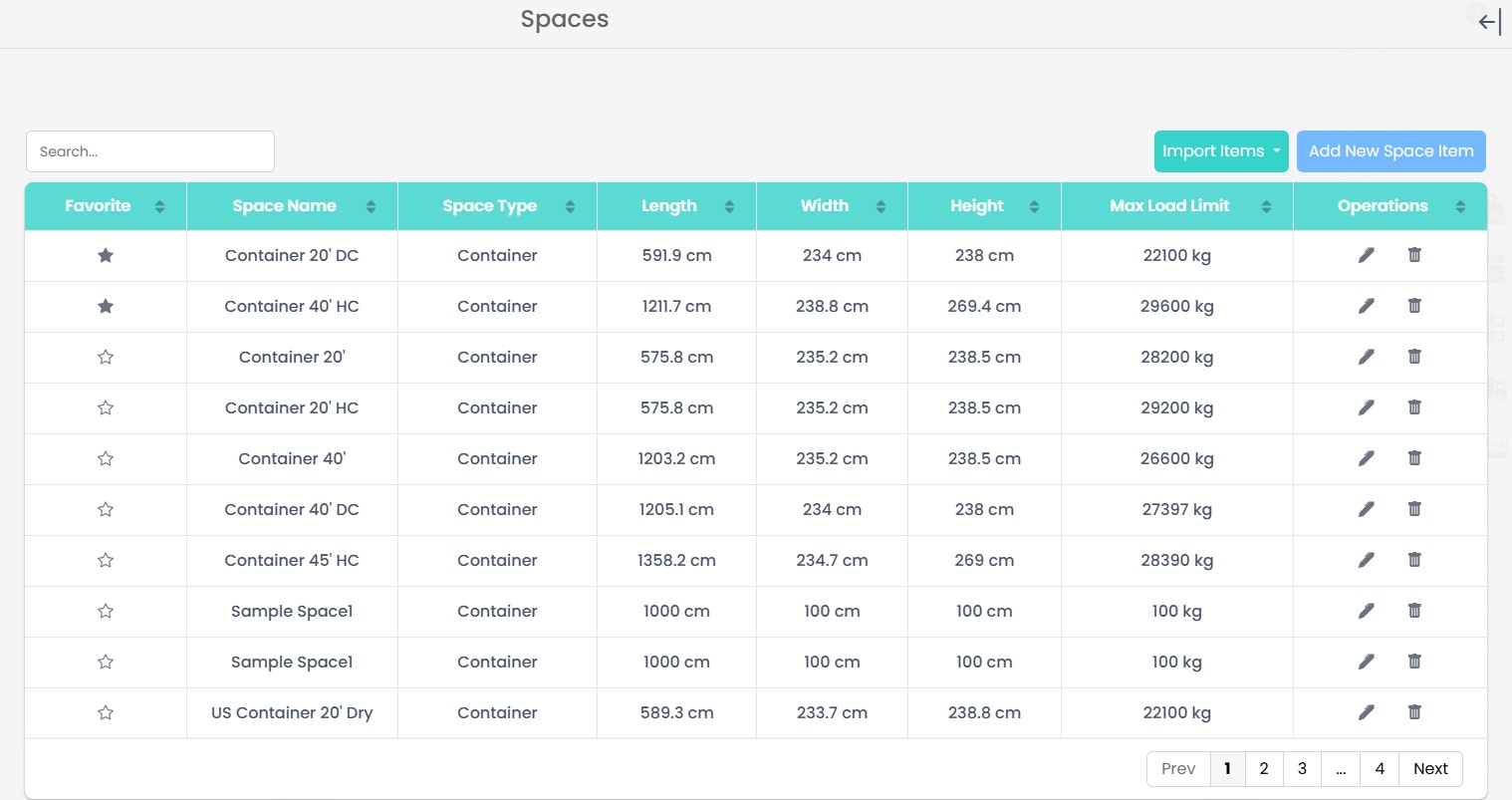
Old
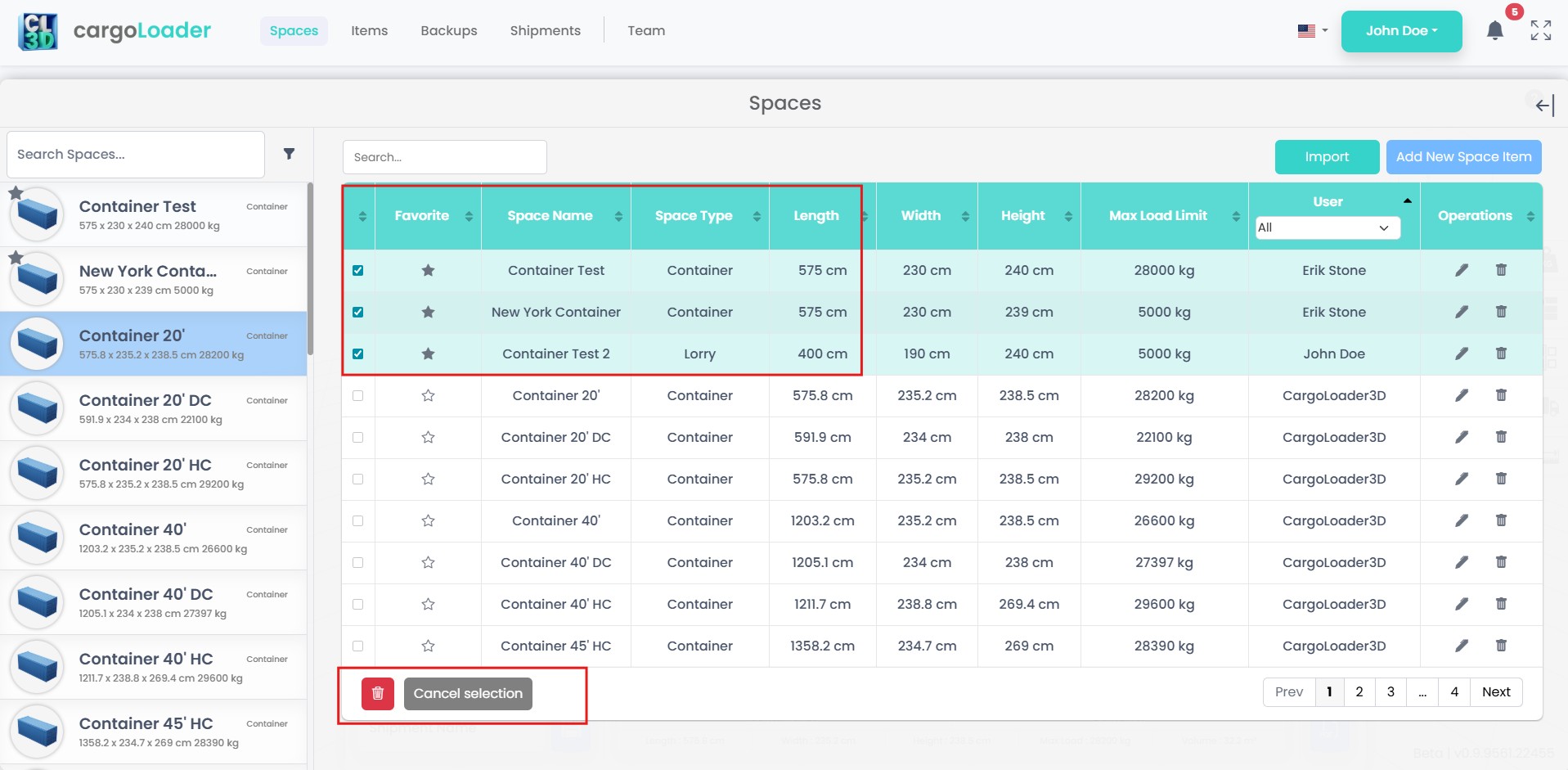
New
5. Duplicate Name Warning on Create
-
✔ Overwrite Confirmation Dialog
When adding a new Space or Item with a name that already exists in the workspace, the system now prompts you to confirm whether you want to overwrite the existing record. This prevents accidental data loss and gives users full control over duplicate entries.
What's New?
6. Import Screens — Updated & Unified
- Space import screen aligned with the Item import screen design
- Updated Excel template file for Space import
- Import results table now highlights name conflicts with existing records
- Bulk overwrite: select conflicting rows and apply overwrite in one step
The Space Excel import screen has been redesigned to match the Item import experience — consistent layout, same interaction patterns, and an updated Excel template file. The import results table also introduces a new bulk overwrite capability.
Key Improvements
These improvements make large import operations faster, more consistent, and far easier to manage — especially for teams working with shared data sets.
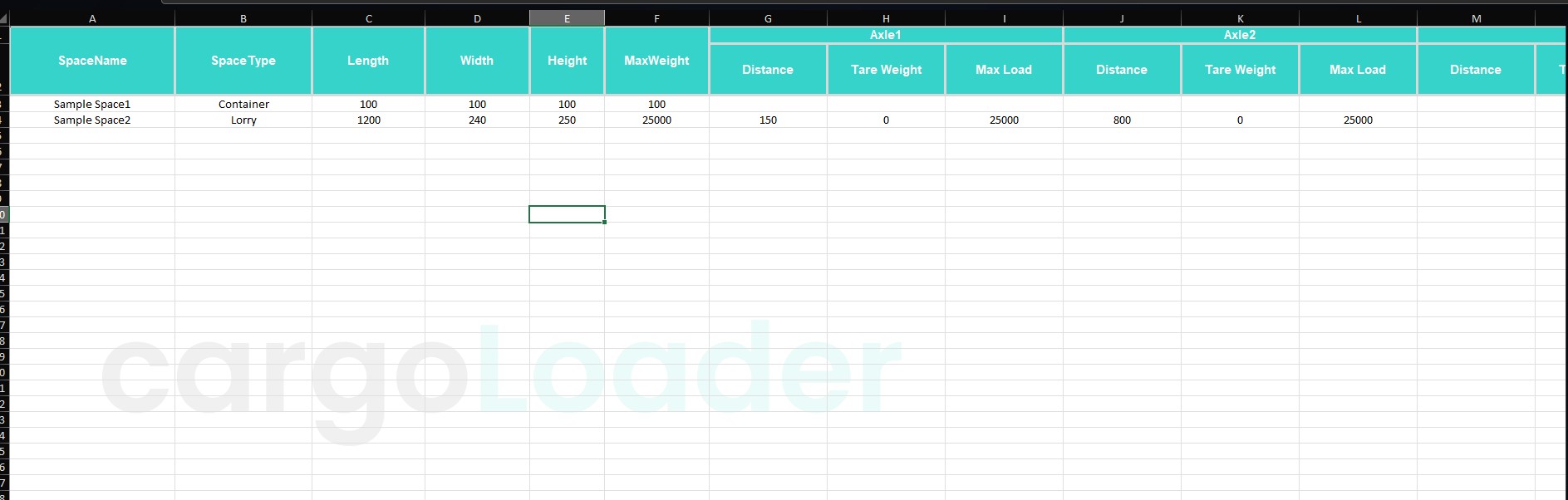
Old
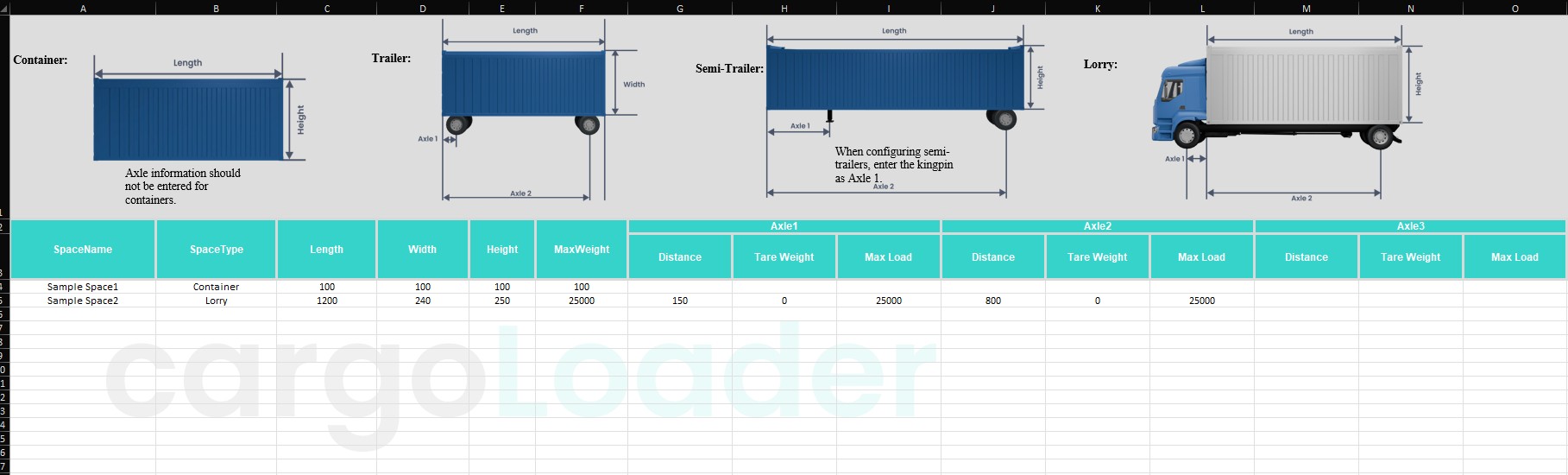
New
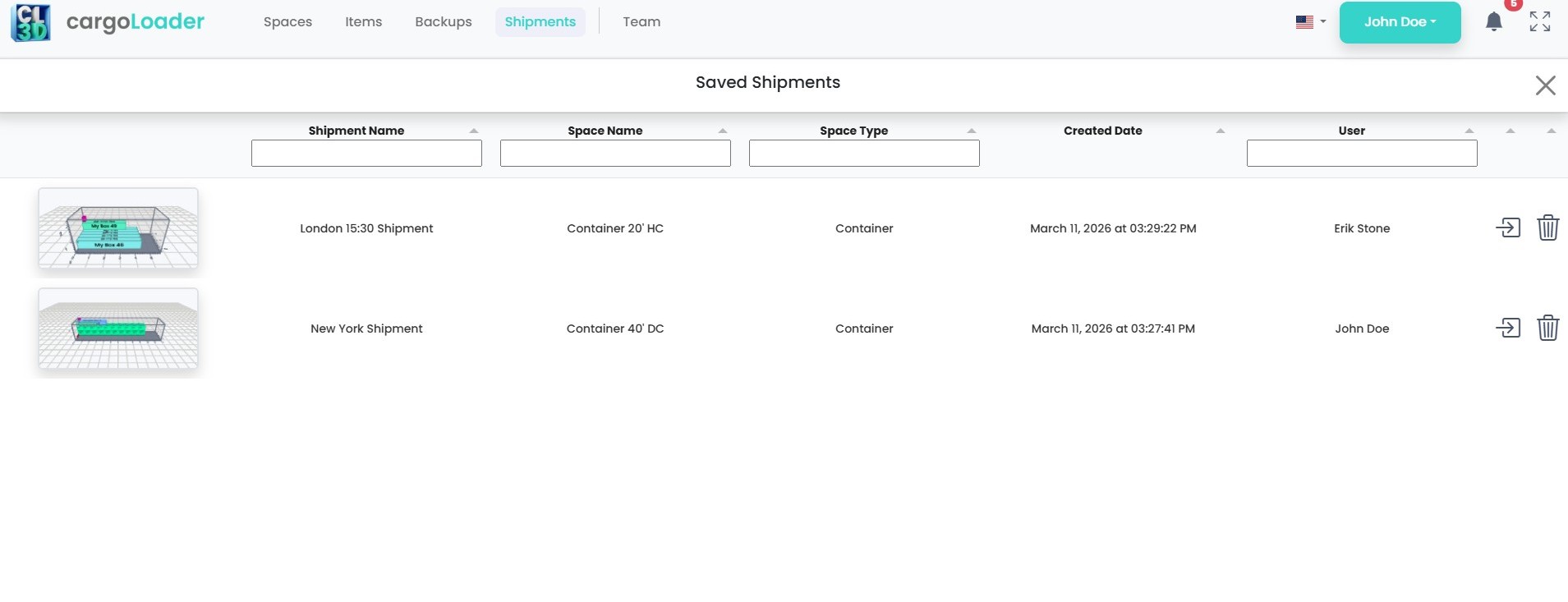
7. Shipments Tab — Pagination, Search & User Info
-
✔ Pagination Instead of Scroll
The Shipments tab now uses pagination for navigating records, improving performance and readability for teams with large shipment histories. -
✔ Created By Information
Each shipment now displays the name of the team member who created it, adding accountability and clarity to shared workspaces. -
✔ Search Boxes
New search fields allow users to quickly filter and find specific shipments without scrolling through the entire list.
What's New?
Other Changes:
-
UI consistency improvements across tables and modals ✔
-
Performance Improvements ✔
Help and Support:
Should you encounter any issues or have questions, please don't hesitate to contact us. Our support team is ready to assist you. Reach us through:
Email: info@cargoloader3d.comThank You:
We appreciate your use of cargoLoader. We are committed to providing a seamless experience, and your feedback is invaluable. Please share your thoughts on the update and any suggestions for future improvements.
Best regards,
cargoLoader Family